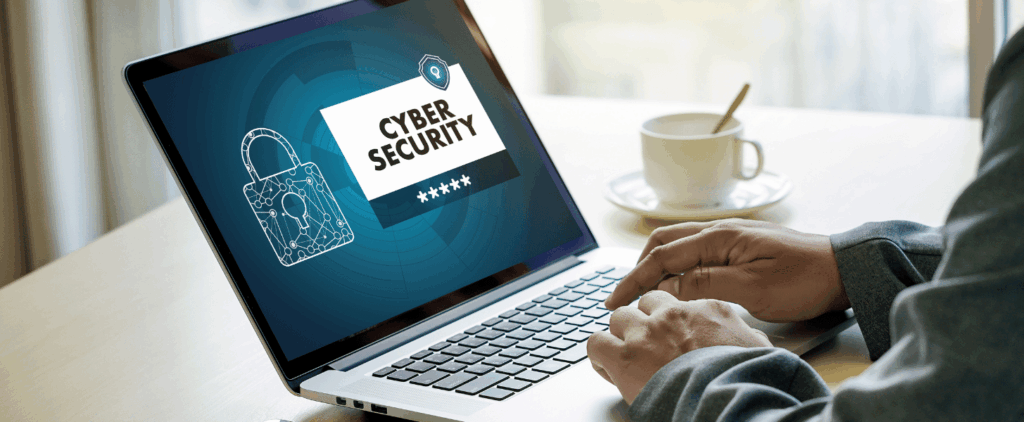
A cybersecurity strategy is often seen as a complex, multi-layered fortress of firewalls, intrusion detection systems, and threat intelligence platforms. While these are critical components of a robust defense, the truth is that the vast majority of cyberattacks don’t exploit a zero-day vulnerability or a sophisticated technical flaw. They exploit human error and a lack of fundamental security practices.
This is where cyber hygiene comes in.
Cyber hygiene refers to the routine, preventative measures that individuals and organizations take to maintain the health and security of their systems, devices, and data. It’s the digital equivalent of brushing your teeth, washing your hands, and maintaining a healthy diet. It’s not about reacting to a crisis; it’s about preventing one from happening in the first place. By consistently applying basic, common-sense practices, you can dramatically reduce your attack surface and build a resilient defense against the most common and damaging cyber threats.
This article will explore the core tenets of cyber hygiene and outline the simple yet powerful practices that can be implemented by anyone—from a single employee to an entire organization—to prevent major breaches.
1. The Foundation: Strong Password Management
Passwords are the first line of defense for every digital asset. Unfortunately, they are also one of the weakest links in the security chain. A significant number of breaches can be traced back to weak, reused, or compromised passwords. Attackers leverage tools that automatically try billions of known password combinations, and they use a technique called “credential stuffing” to take passwords stolen from one site and try them on a multitude of others.
Complexity and Uniqueness: Passwords should be a minimum of 12-16 characters long and include a mix of uppercase and lowercase letters, numbers, and symbols. More importantly, every account should have a unique password. If a single password is stolen, it should not grant an attacker access to any other accounts. This one practice alone can stop over 80% of credential stuffing attacks.
Use a Password Manager: This is a non-negotiable practice for a secure digital life. Password managers act as a secure vault, generating and storing strong, unique passwords for all your accounts, so you only have to remember one strong master password. This eliminates the temptation to reuse passwords or write them down. Enterprise-grade password managers also offer features for secure password sharing among teams and centralized management for IT departments.
Enforce Multi-Factor Authentication (MFA): MFA adds a critical second layer of security. Even if a password is stolen, an attacker cannot gain access without the second factor, such as a code from an authenticator app, a fingerprint scan, or a physical token. For any service that offers it, especially email, banking, and social media, MFA must be enabled. When choosing an MFA method, prioritize security: hardware keys like YubiKey are the most secure, followed by authenticator apps, with SMS-based codes being the least secure due to the risk of SIM-swapping attacks.
2. The Habit: Regular Software Updates and Patching
Software vulnerabilities are the gateways that cybercriminals use to enter a system. Software developers and vendors regularly release patches and updates to fix these known flaws. Failing to apply them is like leaving the front door to your house wide open. A shocking number of major breaches have occurred because a company failed to apply a patch for a known vulnerability that was released months or even years earlier.
Enable Automatic Updates: For operating systems, applications, and mobile devices, set them to update automatically whenever possible. This ensures that critical security patches are installed as soon as they are available, closing vulnerabilities before they can be exploited. For business environments, an automated patch management system can streamline this process and provide visibility into which systems are up to date.
Patch Management Strategy: For organizations, a formal patch management strategy is essential. This involves identifying all software and hardware assets, regularly checking for new patches, and applying them in a timely manner. Not all patches are created equal; prioritize critical security patches that address publicly known vulnerabilities (CVEs) first. It is also a best practice to test patches on a subset of systems before a full-scale rollout to ensure they don’t break essential business applications.
Decommission End-of-Life Software: Software that is no longer supported by the vendor (end-of-life) will not receive any new security updates. Continuing to use this software, especially on connected networks, is a major security risk and should be avoided at all costs. An organization running end-of-life software is effectively operating with a known, unfixable vulnerability.
3. The Safeguard: Data Backup and Recovery
A major data breach often involves not only the theft of data but also its encryption or deletion, particularly in ransomware attacks. Having a secure, tested backup is the ultimate safety net. It ensures that even if an attack succeeds, you can recover your critical data and resume operations with minimal downtime.
The 3-2-1 Rule: This is the gold standard for backups. Keep at least 3 copies of your data, stored on at least 2 different media types (e.g., hard drive and cloud storage), with 1 copy stored off-site. The off-site copy is crucial for protecting against physical disasters like fire or flood, or a network-wide cyberattack that could encrypt all local data. For maximum security, the off-site backup should be “air-gapped,” meaning it is physically or logically disconnected from the main network and cannot be accessed by an attacker who has infiltrated your systems.
Automate Backups: Manually backing up data is a tedious process that is easy to forget. Implement an automated backup solution that runs on a regular schedule, so you can be confident that your data is always protected. This includes not just business data but also personal files on laptops and mobile devices.
Test Your Backups: A backup is only as good as its ability to be restored. Regularly test your backups to ensure they are working correctly and that you can successfully recover your data in an emergency. This involves performing a “test restore” to a separate, isolated environment to confirm that the data is not corrupted and the recovery process works as expected.
4. The Shield: Antivirus and Anti-Malware Protection
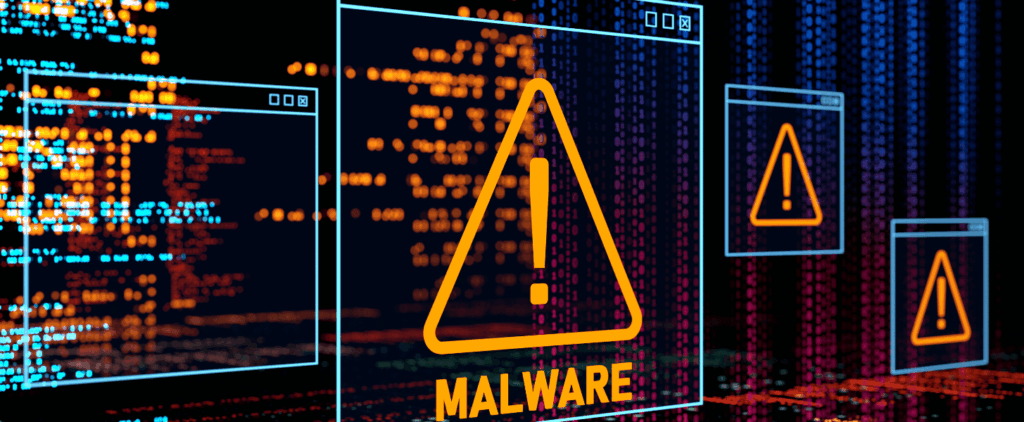
Antivirus and anti-malware software act as a proactive defense, scanning for and neutralizing malicious code before it can cause damage. While not a complete solution, they are an essential layer of protection for every device. Modern solutions have evolved from simply scanning for known signatures to using advanced behavioral analysis and machine learning to detect zero-day threats that have never been seen before.
Install and Maintain: Ensure that every device on your network has a reputable and up-to-date antivirus and anti-malware solution installed. For businesses, this includes all endpoints like servers, desktops, and laptops.
Understand Next-Gen Solutions: A simple antivirus program is no longer enough. Modern threats, especially fileless malware, can evade traditional detection methods. This has led to the rise of Endpoint Detection and Response (EDR) solutions, which provide continuous monitoring and a much deeper level of protection by analyzing behavior and stopping attacks as they unfold.
Train Employees: Teach employees not to ignore security alerts and to understand that these alerts are a vital part of protecting the company’s data.
5. The Human Factor: Security Awareness and Phishing Education
People are the targets of most cyberattacks. Phishing, social engineering, and other deceptive tactics are designed to trick employees into giving up credentials, clicking on malicious links, or downloading infected files. A well-trained workforce is the most effective defense against these attacks. You can have all the technology in the world, but a single click from a trained employee can defeat it.
Ongoing Employee Training: Cybersecurity training should not be a one-time event. Conduct regular, engaging training sessions that cover the latest threats and best practices. Use real-world examples to make the training relatable and impactful.
Simulate Phishing Attacks: Conduct controlled, simulated phishing campaigns to test your employees’ ability to identify and report suspicious emails. This provides valuable insights into vulnerabilities and helps reinforce the training.
Create a Reporting Culture: Encourage employees to report any suspicious emails or activity without fear of reprisal. A “see something, say something” culture can help an organization detect and respond to a threat before it spreads.
6. The Clean-Up: Digital Housekeeping and Asset Management
Just like a messy desk can lead to misplaced items, a cluttered digital environment can hide security vulnerabilities. Regular digital housekeeping is crucial for maintaining a clean and secure system.
The Principle of Least Privilege: Grant employees and systems only the access and permissions necessary to perform their specific job functions. This limits the potential damage of a compromised account. For example, a marketing specialist does not need administrative access to the company’s financial servers.
Clean Up Old Accounts and Data: Regularly review and remove accounts for former employees or contractors. Delete or archive old data that is no longer needed, as it can be a liability if it contains sensitive information. Establish clear data retention policies to govern what data is kept and for how long.
Securely Dispose of Hardware: When disposing of old computers, hard drives, or mobile devices, ensure that all data is securely wiped or destroyed. A simple factory reset is not enough. Data can often be recovered. Use a secure data-wiping program or physically destroy the hard drive to prevent sensitive information from falling into the wrong hands.
7. Securing Your Network and Devices
Your network is the highway for your data. If it’s not secure, everything on it is at risk.
Secure Your Wi-Fi: Use a strong password for your Wi-Fi network and change the default password on your router. For businesses, use a separate guest network for visitors to keep them off your main corporate network.
Network Segmentation: Divide your network into smaller, isolated segments. If one segment is breached, the attacker cannot easily move to other parts of your network.
Use a VPN: When working remotely or connecting to public Wi-Fi, use a VPN (Virtual Private Network) to encrypt your internet traffic and protect your data from eavesdropping.
Why Cyber Hygiene is More Critical Than Ever
The modern threat landscape is defined by its speed, sophistication, and relentless nature. Cybercriminals are no longer just targeting large corporations; they are increasingly focusing on small and medium-sized businesses, healthcare providers, and even individuals. The rise of ransomware-as-a-service and the proliferation of low-cost hacking tools have made it easier than ever for attackers to launch a devastating campaign.
In this environment, a proactive approach is the only sustainable strategy. Cyber hygiene is not a luxury; it is a necessity. It’s the difference between being a vulnerable target and a hardened, resilient organization. By making these basic practices a part of your daily routine, you can build a strong foundation of security, protect your valuable data, and avoid the devastating financial and reputational consequences of a major breach.